

Scam Alert: The New Trick Behind Fake Meeting Invitations
You receive a Microsoft Teams meeting invitation. The subject looks professional, the time is scheduled, and there’s a button to join. Everything seems normal. But is the meeting […]
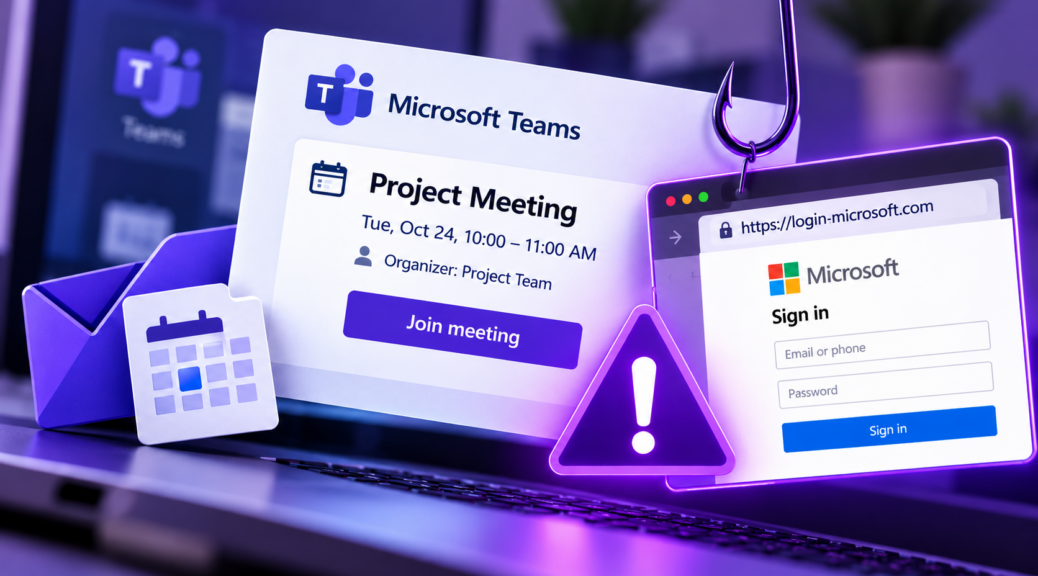
You receive a Microsoft Teams meeting invitation. The subject looks professional, the time is scheduled, and there’s a button to join.
Everything seems normal. But is the meeting actually real?
A phishing campaign reported in October 2026 is using fake calendar invitations to steal Microsoft account credentials.
The important detail is that a meeting invitation can contain a legitimate calendar file while directing users to a fraudulent login page.
Here’s how the scam works, what’s different about it, and how to verify an invitation before clicking.
What’s New About This Scam?
Phishing is not a new threat. Scammers have long used messages about suspended accounts, missed deliveries, and urgent payments to trick people into opening malicious links.
This campaign uses something more familiar in professional environments: meeting invitations.
According to Check Point’s research on fake calendar invitations, the campaign intensified in late September 2026 and continued into October.
Researchers reported more than 302,000 unique phishing emails detected among their customers, targeting over 40,000 organizations.
Some messages included .ics attachments, a standard file format used to exchange calendar events.
These files are not inherently malicious. They are commonly used by legitimate calendar applications.
The problem occurs when an invitation contains a deceptive link that leads to a fake sign-in page.
How Does the Scam Work?
Imagine receiving an email announcing an important meeting.
The invitation includes a professional subject line, an organizer’s name, and a button that resembles the Microsoft Teams meeting interface.
When you click to join, a website opens that looks like the Microsoft sign-in page.
You’re asked to enter your email address and password.
However, the page may be controlled by attackers.
If you submit your credentials, scammers can capture them and attempt to access your Microsoft account.
Depending on your account’s security settings, stolen credentials could expose emails, files, and connected services.
The invitation’s professional appearance is what makes this technique particularly convincing.
Why Can a Fake Meeting Appear on Your Calendar?
Some calendar services automatically display invitations, depending on account settings.
This means an event appearing in your calendar is not necessarily proof that it is legitimate.
As TechRadar reported on the campaign, attackers are exploiting familiar calendar workflows to make malicious links appear trustworthy.
In some environments, suspicious events may remain visible even after the original email has been filtered or removed.
If you find an unfamiliar event, check the organizer and use your calendar application’s official options to report or remove it.
Avoid opening links contained in suspicious event descriptions.
How Can You Verify a Meeting Invitation?
Before clicking “Join,” take a moment to check a few important details.
- Check the sender’s address
Look at the complete email address, not just the display name. A familiar name does not guarantee that the message is authentic.
- Consider whether the meeting makes sense
Do you recognize the organizer? Were you expecting the invitation? Does the subject relate to a recent conversation?
- Inspect the link
A button labeled Microsoft Teams does not guarantee that the destination belongs to Microsoft. Check the domain before opening it.
- Confirm through another channel
Contact the organizer through your usual work messaging platform or a phone number you already trust.
- Use the official application
Whenever possible, open Microsoft Teams or your calendar directly and locate the meeting independently.
These steps can help identify suspicious invitations before you share sensitive information.
What Are the Warning Signs?
Common red flags include:
- Invitations from unfamiliar organizers.
- Unexpected meetings with no clear context.
- Sign-in requests on unfamiliar websites.
- Links using unusual or misleading domains.
- Messages pressuring you to act immediately.
- Requests for passwords or authentication codes.
These warning signs are not limited to calendar scams.
They can also appear in fake banking alerts, delivery notifications, and online shopping messages.
The PSafe blog explains how malicious links work and how to protect yourself, including why familiar branding should never replace independent verification.
What Should You Do If You Clicked a Fake Invitation?
If you opened the link but didn’t enter any information, close the page and check for unexpected downloads or installations.
If you entered your password, change it immediately through Microsoft’s official website or app.
You should also review recent account activity, sign out of unfamiliar sessions, and enable multi-factor authentication.
If the incident involves a work account, notify your IT or security team so they can investigate possible unauthorized access.
Fake meeting invitations demonstrate how scammers can turn an everyday task into a security risk.
Before joining an unexpected meeting, verify the organizer and check where the link actually leads.
Keep reading — Blog PSafe
- 5 Trending Digital Scams: How AI Is Making Fraud More Dangerous
- How to Check If a Link Is Safe
- Deepfakes: The New Weapon of Digital Scammers