

A Brief Overview of the Samsung Galaxy Note 7
Despite amazing reviews, the Samsung Galaxy Note 7 has experienced some turbulence since its release. Click here to get an overview of Samsung’s latest product.
Despite amazing reviews, the Samsung Galaxy Note 7 has experienced some turbulence since its release. Click here to get an overview of Samsung’s latest product.
The visual aesthetics combined with the functionality of the LG V20 makes the phone a force to be reckoned with. Read on to learn more.
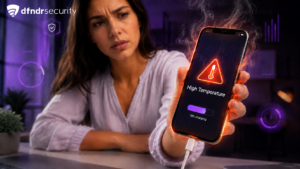
Virtual Reality (VR) games can cause your phone to heat up substantially after extended play. Here we’ll teach you how to prevent your phone from overheating.
Whether you use Skype for job interviews or catching up with family and friends, make sure you’re getting the most use out of the app.
Nougat provides new and up-to-date security features. Learn more about six of the new helpful and powerful security features available on this Android update.
One of the best ways to make your own music is with the DeaDBeeF Player. Read on to learn why it might be just the player you’ve been wanting.
If you’re a busy professional who needs to scan documents on the go, take a look at this helpful app that will let you scan from your phone.
Android TV keeps getting bigger and better. Learn more about how it works, how you can get it, and why you should — immediately.
Techies always have the coolest ways to use their technology. Whether or not you’re a tech pro, you can steal their style with one of these tips.
Looking for a new phone that can do more than your current device? Look no further than these options for your next new Android phone.
There are a few things you can do to greatly improve the performance of your Gmail account, and these nifty tricks will only take a few seconds of your time.
Saving a few pennies here and there might ultimately cost you in the long-run. If it looks too good to be true, it probably is.
Your Android phone allows applications to have limited access to your phone's information for security purposes. Learn more about Android's permissions here.
Many people find it difficult to use their Android phones due to the small default font size. Here are the ways to fix that problem.
There's an easy way to magnify almost anything on your Android screen. Follow these simple steps and you will be viewing content far more clearly in no time
While there’s no perfect way to connect your smartphone to your computer, the DropSpace app can help you come pretty close.
A USB flash drive is a great way to backup or copy the documents and photos stored on your phone — no computer necessary! Learn more about how to do this now.
Clearing your computer's search history is easy, and you can accomplish the same task with your Facebook search history as well.
You use your phone for everything, including listening to music. Learn how to play music on your phone automatically when you plug in your headphone.
Tailoring your Quick Settings on your phone has never been easier. Learn how to alter the dropdown menu so that you see only the apps that you want to use.
Card games are an entertaining way to pass the time. With so many available, we narrowed down four tried-and-true game apps that you can play anywhere.
Do you struggle reading the texts on your phone? Look no further to find out more about the high contrast text feature! Learn more here.
In the continuing debate between the iPhone and the Android, these five amazing Android only features make Android the clear winner.
Don’t let your battery life dominate your mobile phone usage. We’ve got the best batteries to make sure you don’t fall victim to your battery life.